
Scheduling that keeps your practice running smoothly.
Simplify scheduling, reduce no-shows, and keep your calendar organized with built-in tools for online booking, reminders, recurring sessions, and multi-location coordination.
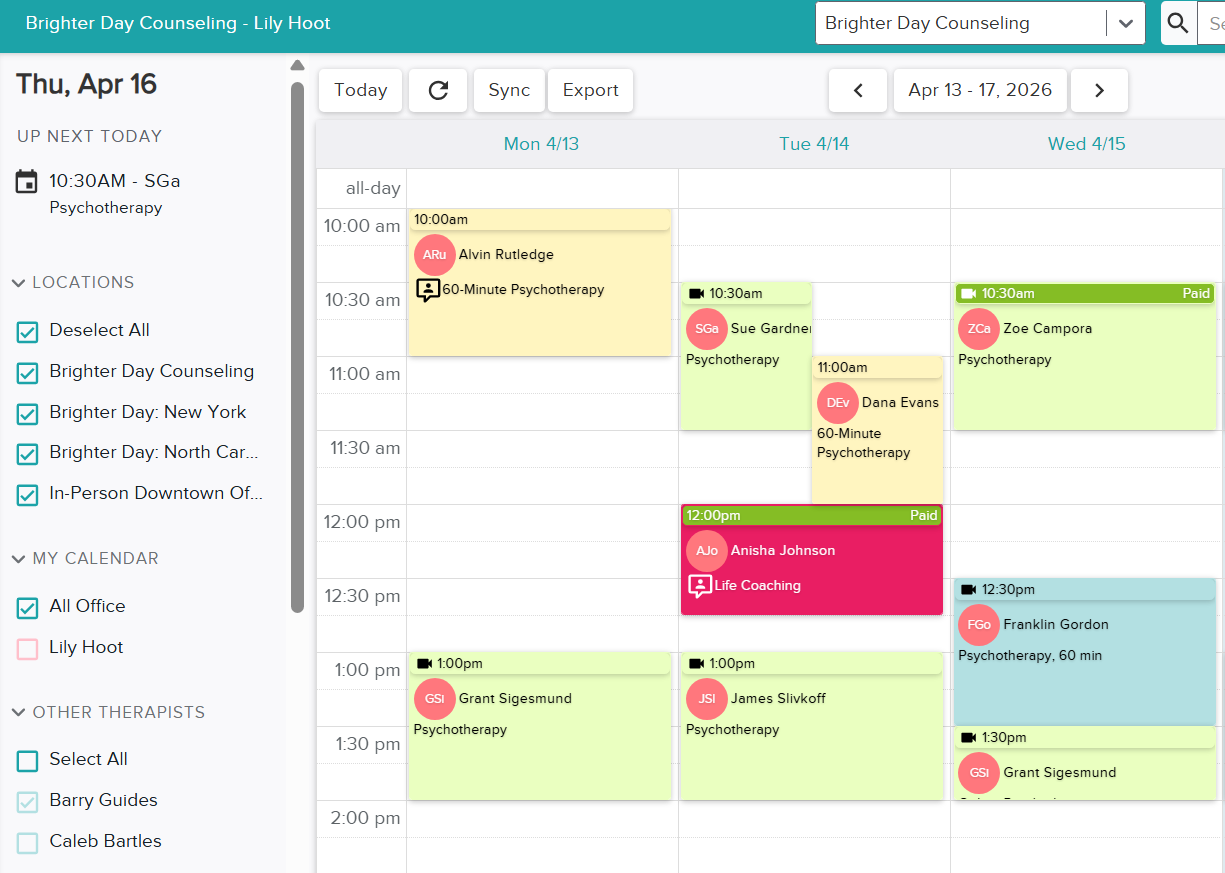
A simple way to manage booking, availability, and reminders
Scheduling is built into Zencare Practice Management, so your calendar, client experience, and team workflows stay connected in one place.
See how Zencare Practice Management simplifies your workflow from day one.
Spend less time managing your calendar
Whether you’re managing your own availability or coordinating a larger team, built-in scheduling tools help your practice stay organized, protect your time, and create a smoother client experience from booking through follow-up.
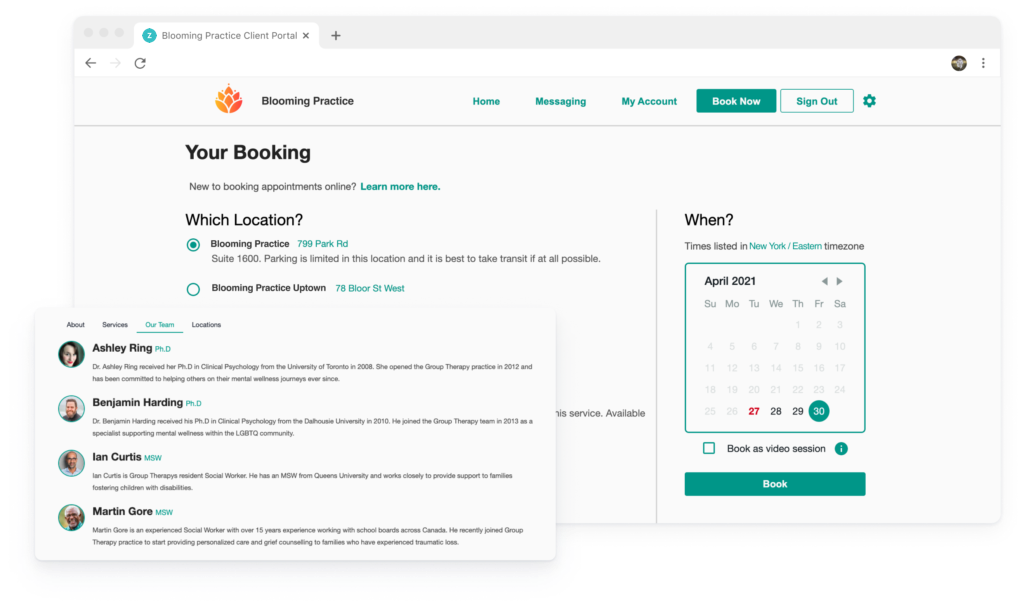
Built to support the way therapy practices actually schedule
From solo practices to multi-location teams, scheduling tools are designed to help you stay flexible and organized.
Online booking
Give clients a simpler way to request or reserve sessions based on the availability, session types, and locations you choose to offer.
Automatic reminders
Reduce no-shows with appointment reminders delivered by email or text so clients are more likely to stay on track.
Recurring appointments
Save time by reserving regularly scheduled sessions so the right appointment slot stays open for ongoing care.
Attendance marking & auto-invoicing
Mark a session as attended directly from your calendar view and automatically generate and send the invoice to the client.
Room and location management
Coordinate rooms, clinicians, and locations more easily so your practice can avoid double-bookings and stay organized.
Team scheduling oversight
View and manage schedules across multiple therapists while keeping the right operational access in place for admins and staff.
Give your practice tools that are easier to work in every day.
Zencare Practice Management brings scheduling, notes, billing, and client records together in one connected system.
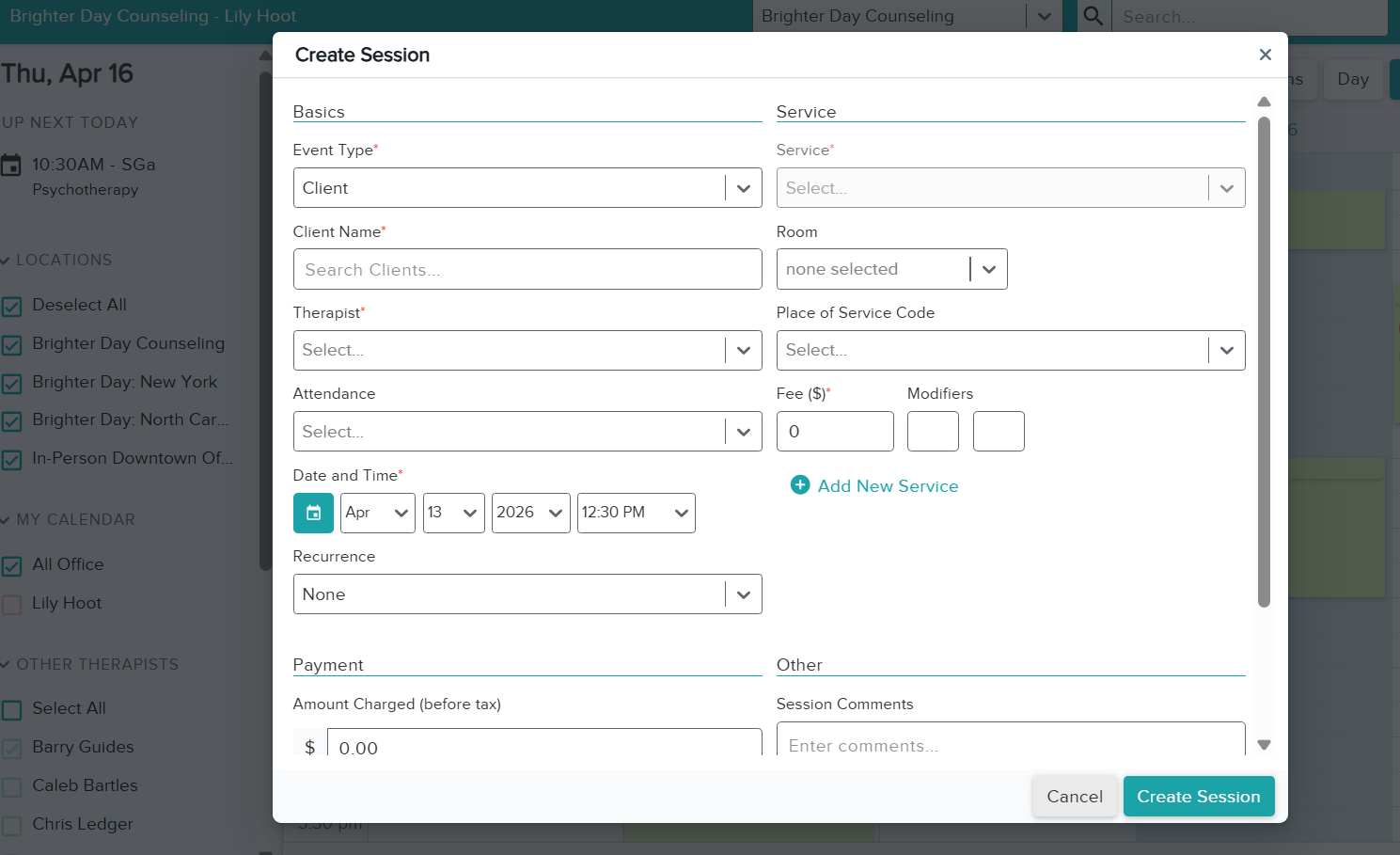
Scheduling that scales with your team
As your practice grows, scheduling can get more complicated. Keep clinicians, administrators, rooms, and locations aligned with tools that make it easier to manage everything from one connected platform.
Questions about scheduling?
Here are a few helpful starting points for therapists exploring scheduling tools in Zencare Practice Management.
The right tools can transform a practice.
See how Zencare Practice Management can help you simplify scheduling, reduce manual admin, and create a smoother experience for both your team and your clients.